By Binary Software SolutionsCompanyContactSales

Features

The whole business, from first tap to filed taxes.

Time Tracker isn't a timer with a few extras bolted on — it runs the entire billable day and the back-office behind it, natively, on every Apple screen. Here's everything it does.

DashboardTrack
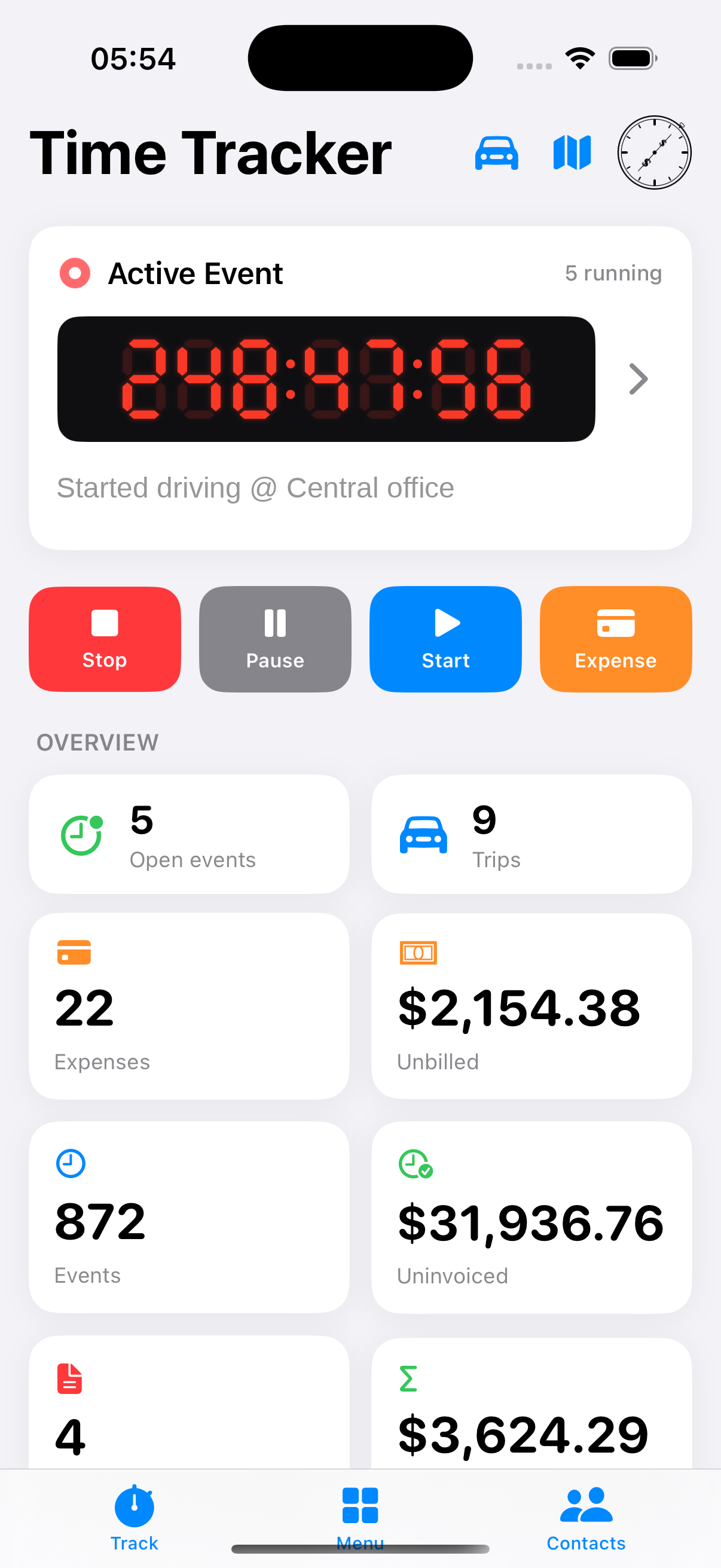
Live timer and daily overview

Track time

Your whole billable day, at a glance.

A live timer up top and your whole book of business below it — open events, trips, unbilled dollars, uninvoiced totals, and what's still outstanding. One tap starts an event with the client, project, service, and rate attached.

  • Track several jobs at once — every running timer shown
  • Start/stop from iPhone, Apple Watch, Siri, a widget, or the notification
  • Pause and resume — break time comes off the bill automatically
  • Dictate the description by voice, on device
Guided setupOnboarding
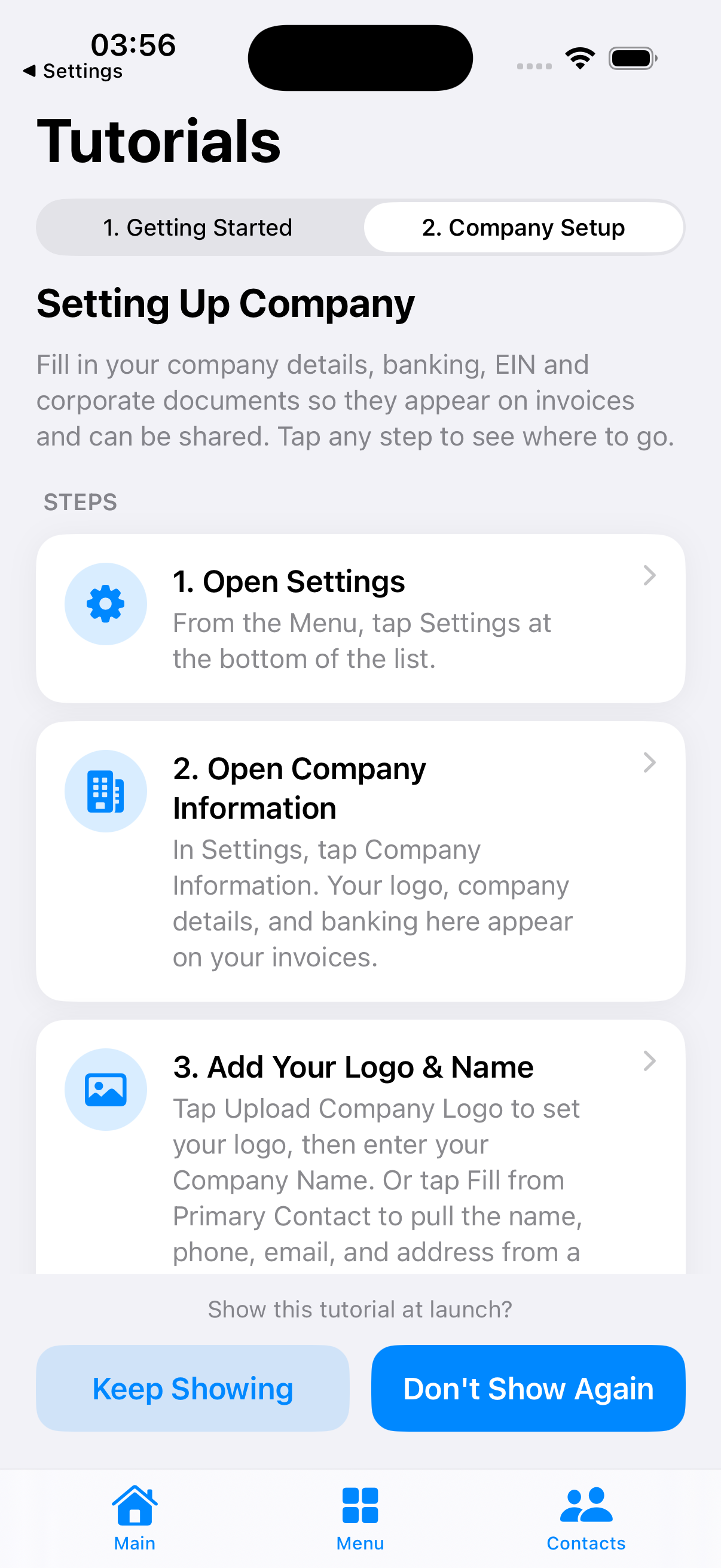
Guided getting-started tutorial

Get going fast

Guided setup, then you're tracking.

A built-in walkthrough gets you from install to your first billable event in a few taps — create a client, set the job-site location, add your services and rates, then start the clock. A separate company-setup flow captures your logo, EIN, and banking so invoices are ready to send.

  • Step-by-step getting-started and company-setup guides
  • Fill your company profile straight from your contact card
  • Import a client from Contacts in one tap
One-tap contactOnly here
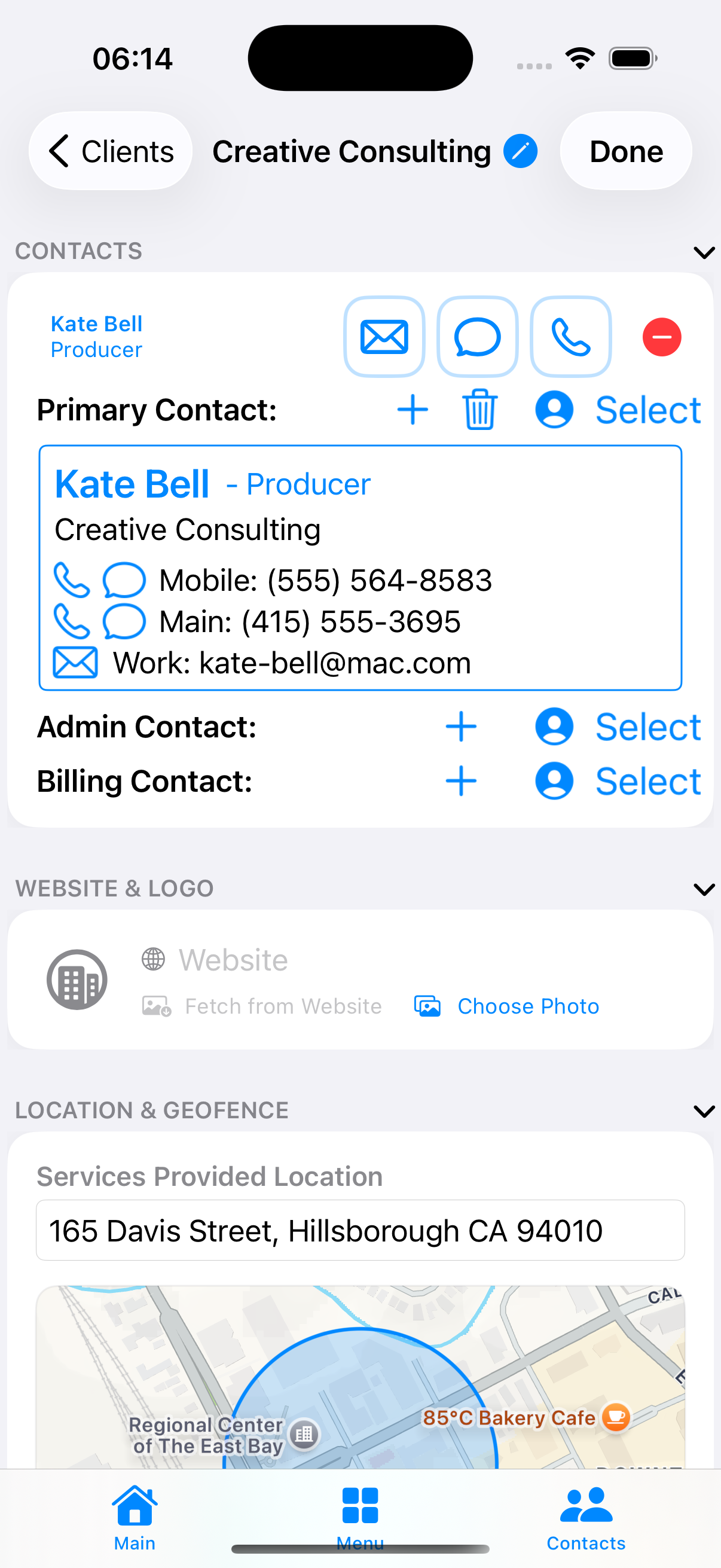
Client contacts

Communication tracking

Bill for the calls everyone else gives away.

Start a call, text, or email to a client from inside Time Tracker and a tracked event starts automatically. Calls are timed end-to-end and log themselves when you hang up — the single rarest thing the app does, and no other tracker on the App Store has it.

  • Automatic event on a call, text, or email
  • Phone calls timed to the second, logged on hang-up
  • Primary, admin, and billing contacts per client
Two-way syncCalendar
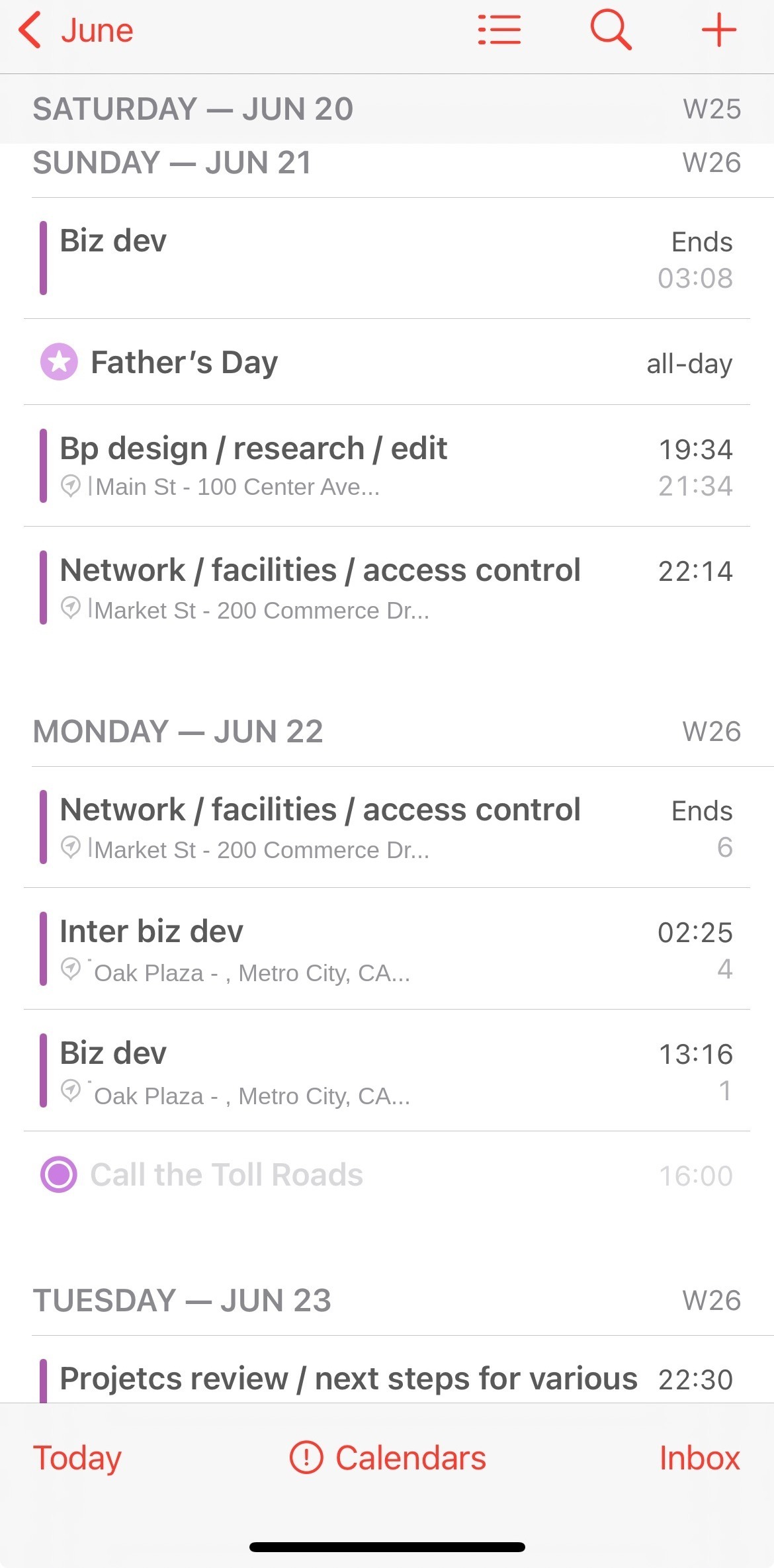
Calendar to billing

Calendar → billing

Your appointment is the billing line.

Put a client's appointment on your Apple Calendar — on iPhone or Mac — and it becomes a priced, billable event on its own, with no timer and nothing re-entered. Two-way sync keeps your work and your calendar in lockstep.

  • A calendar appointment for a client becomes the billing line item
  • No timer to start, nothing re-entered
  • Priced to the right client, project, service, and rate
GeofenceArrive & go
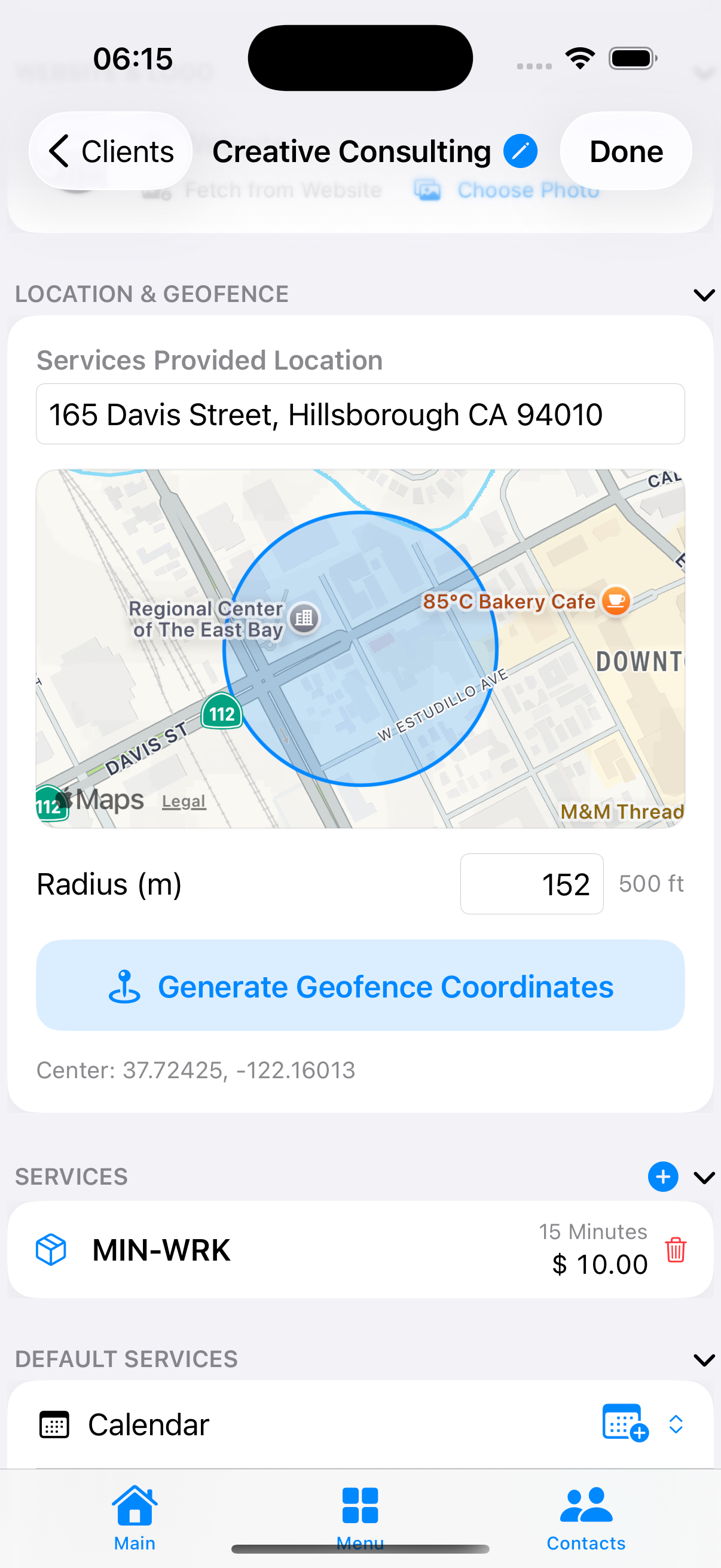
Client job-site geofence

Arrive and go

The clock starts when you arrive.

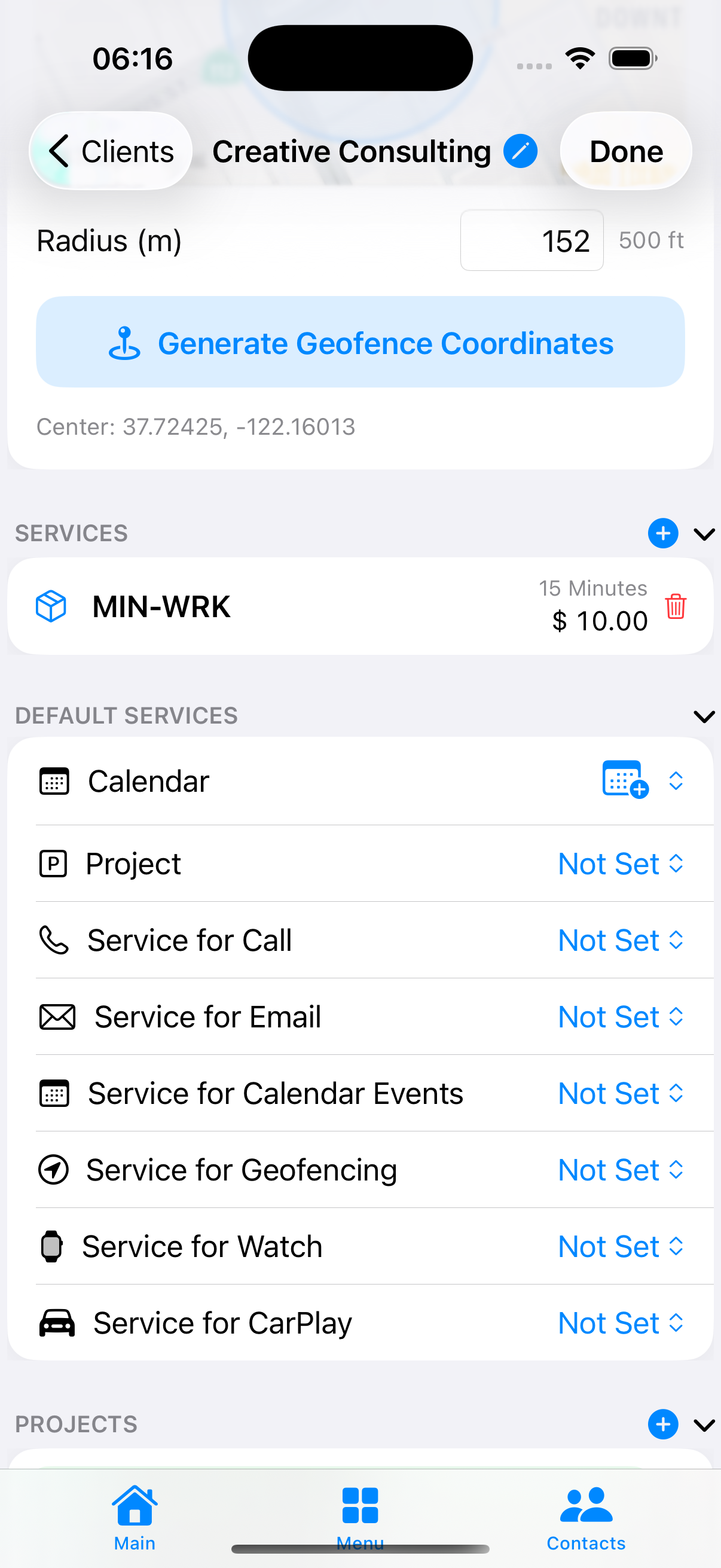
Give each client a work location and Time Tracker recognizes when you reach the job site. It re-checks a fresh GPS fix first, so a red light nearby can't fake an event. Leave and it pauses; return and it resumes — drive time and off-site breaks stay off the bill.

  • Type-ahead address becomes a precise geofence with a live map
  • Auto-start on arrival with drive-by protection
  • Auto-pause on leaving, auto-resume on return
Price listClients
Client services and rates

Clients & services

Clients, contacts, and a rate card.

Keep clients, their contacts, and a rate-carded price list all in one place. Each service carries its own rate, type, and rounding rule, and each client can default the right service for calls, calendar, Watch, and CarPlay.

  • Service, product, and recurring line types
  • Per-service rounding — 5/10/15/30 min, hour, day, week, month
  • Per-client default services for every surface
Project detailProjects
Project with objectives and tasks

Projects, objectives & tasks

Structure the work into projects.

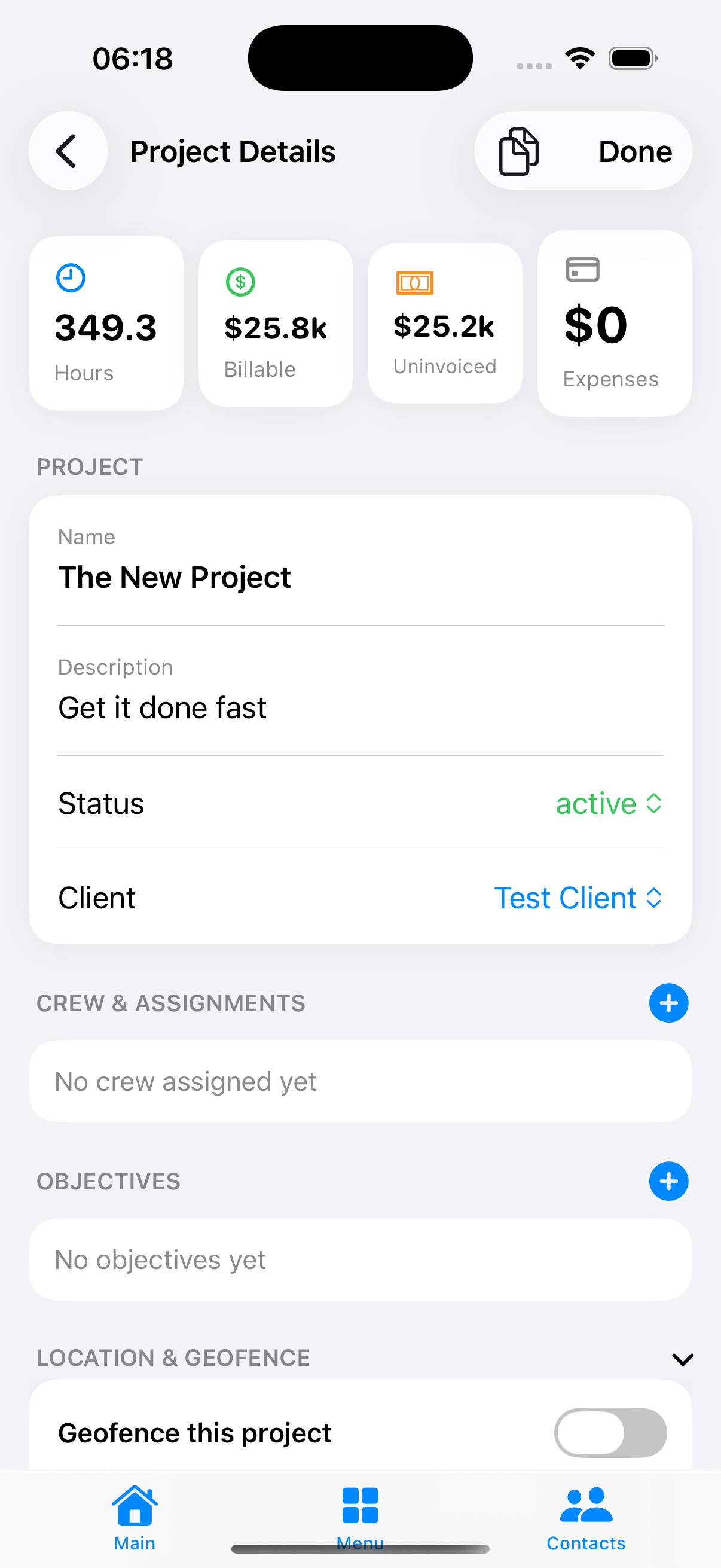
Break a client's work into a project with live hours, billable and uninvoiced totals, objectives, and tasks. Assign crew, give each project its own job-site geofence, and start a timer straight from a task so time ties back to what got done.

  • Objectives and prioritized tasks per project
  • Live project totals — hours, billable, uninvoiced
  • Per-project geofence and crew assignments
Trip routeMileage
Automatic trip route

Mileage

Every drive between jobs, logged for you.

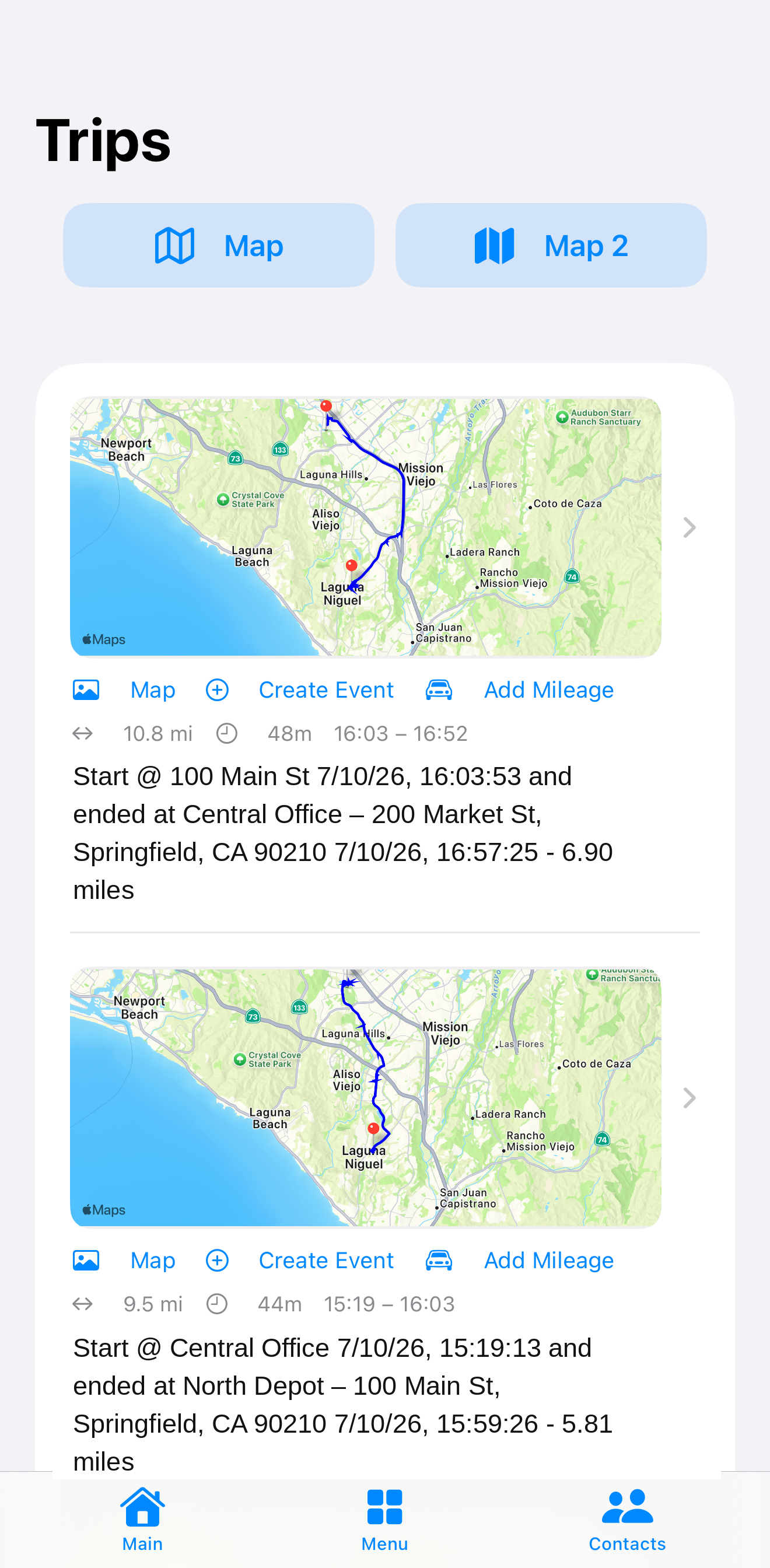
Drives record automatically as trips with a mapped route, live speed and distance, and layover detection — all in the background with the screen locked. Turn any trip into reimbursable, billable mileage or a Schedule-C deduction.

  • Automatic trip detection, start to finish
  • Mapped route with live speed and running distance
  • Reimbursable mileage at your configured rate

Expenses · receipt OCR

Point at a receipt. It reads itself — right, every time.

Captured, straightened, and parsed entirely on device — merchant, address, date, subtotal, tax, total, and the card's last four. It keeps the original scan as evidence, and every field matches the paper.
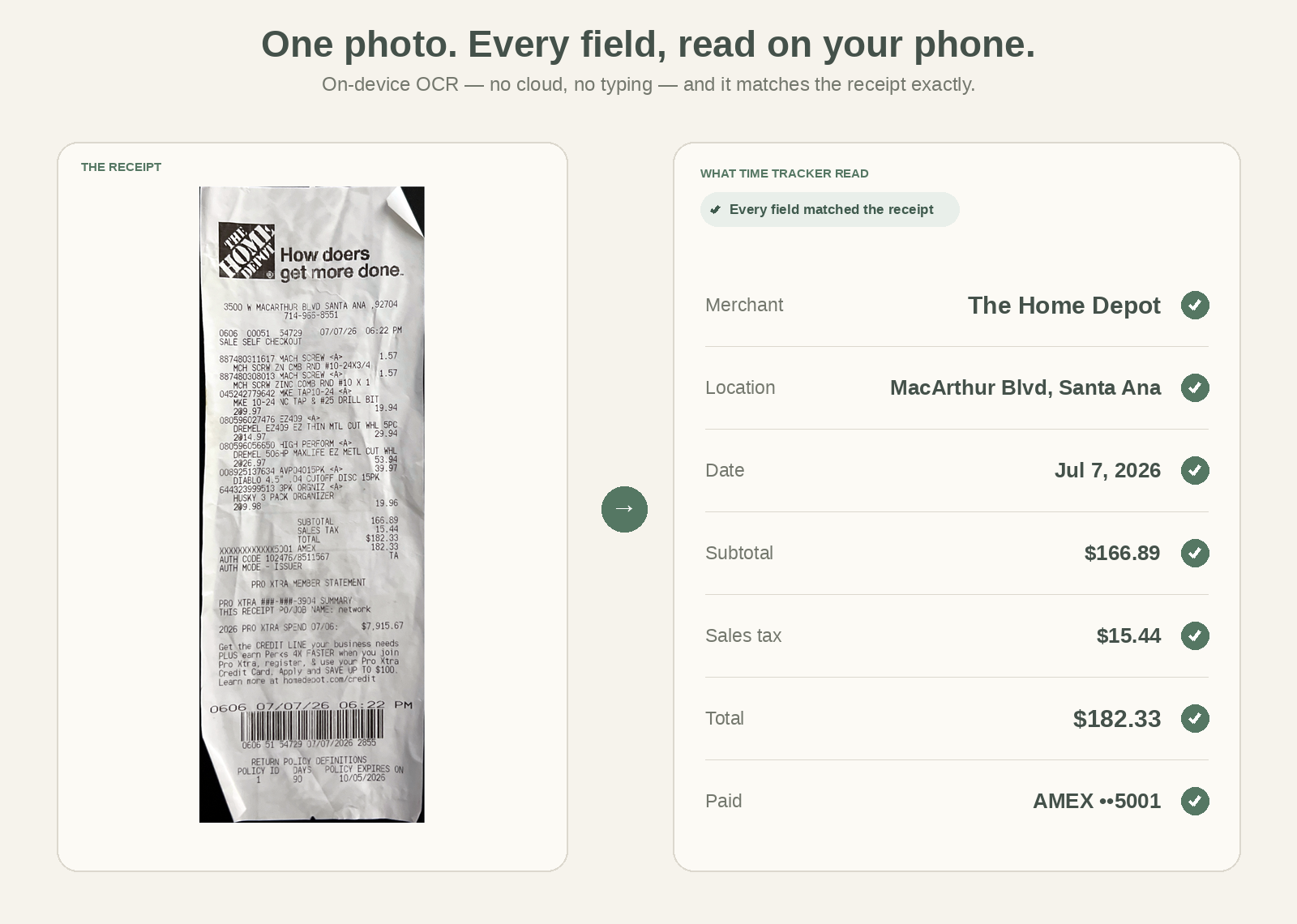
A scanned receipt beside the fields Time Tracker read, every value matching
Quarterly TaxNew
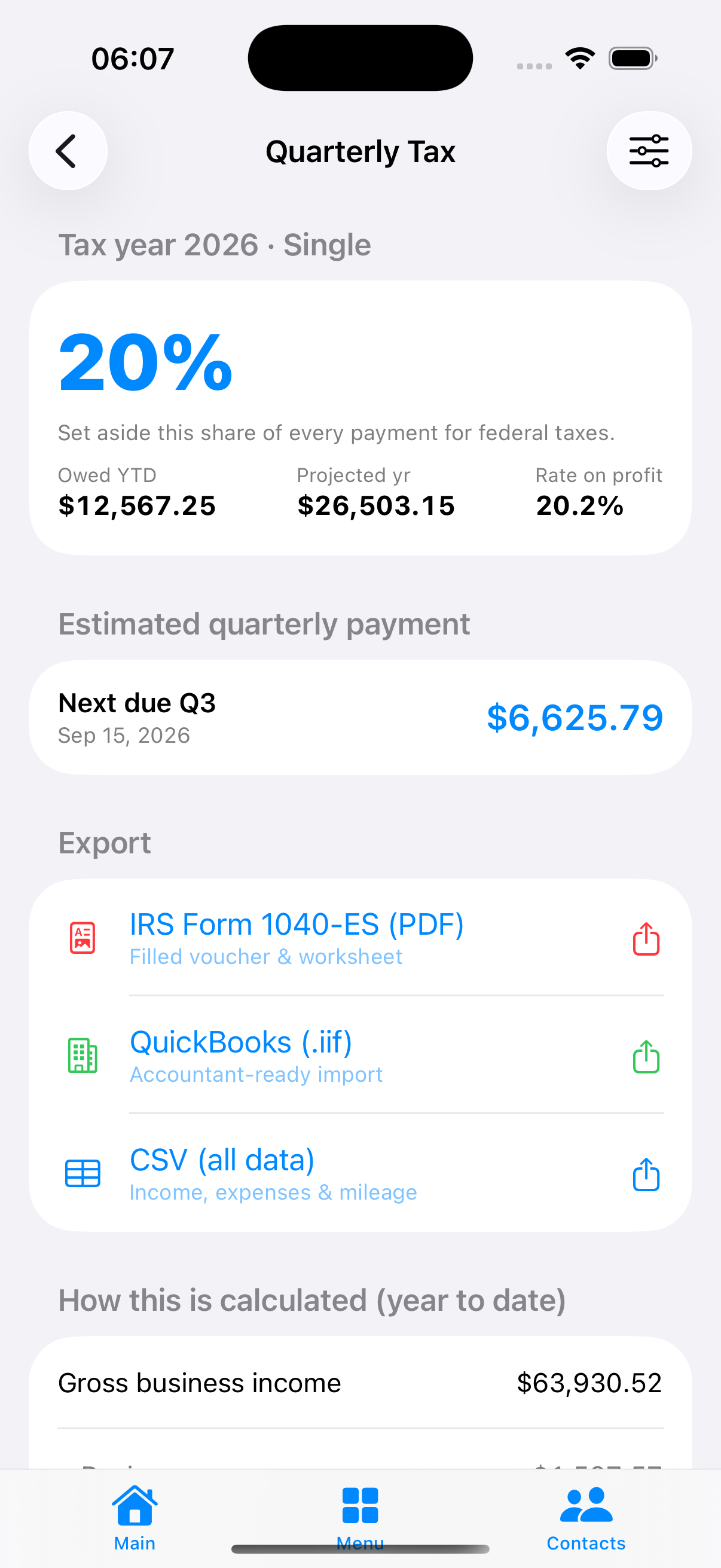
Real-time quarterly tax estimate

Taxes, handled as you earn

Know exactly what to set aside.

Time Tracker already holds your income, your mileage, and your expenses — so it computes your quarterly self-employment tax in real time, entirely on your device, with no bank connection. It shows the percentage to set aside, what you owe year-to-date, your projected year, and the exact amount due next quarter.

  • Live federal estimate with the rate to set aside on every payment
  • Next quarterly payment and due date, always current
  • Export a filled IRS Form 1040-ES, QuickBooks .iif, or CSV
  • Computed on-device from your own data — nothing leaves the phone
One-tap payInvoicing
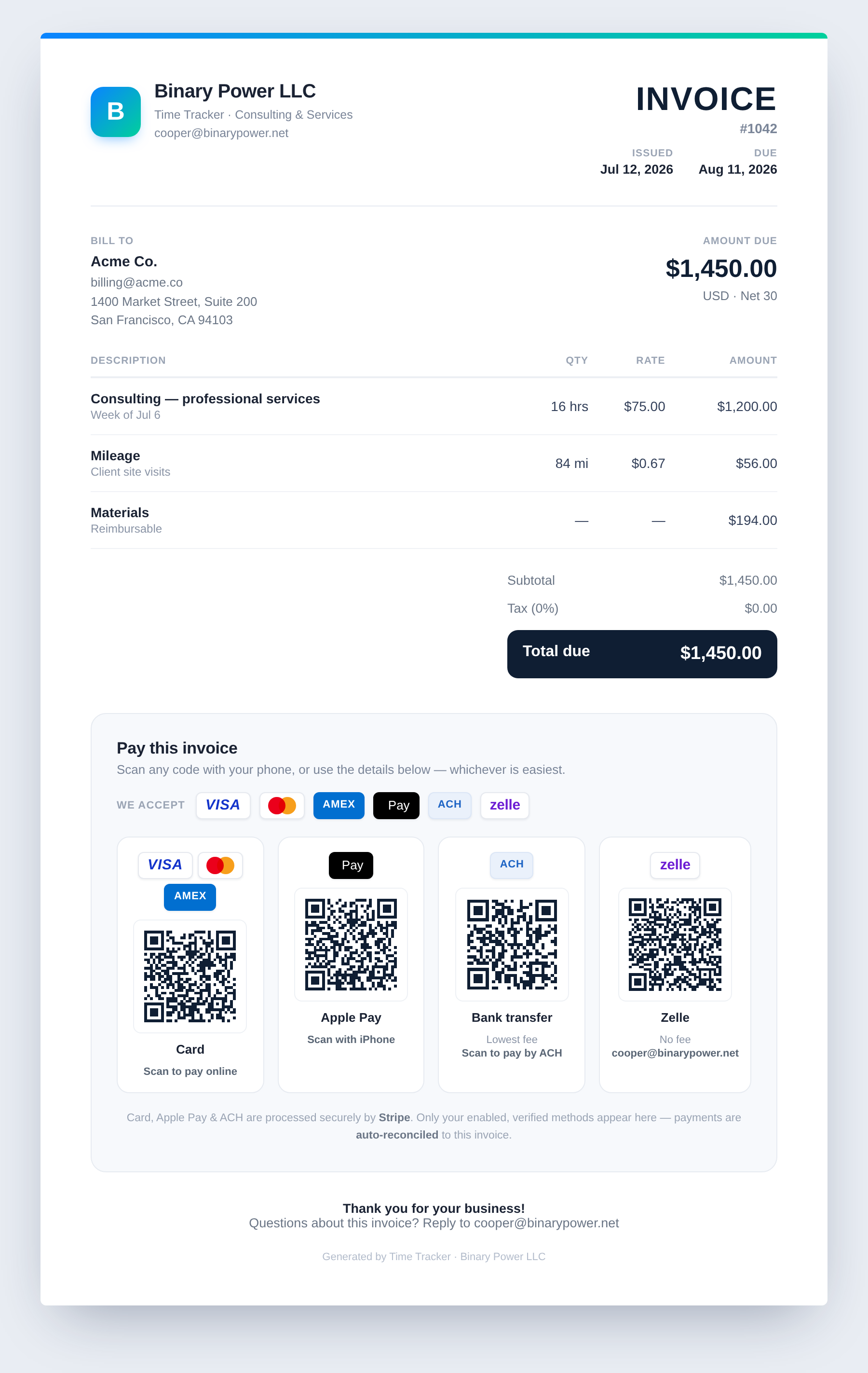
Invoice with one-tap payment options

Invoicing & getting paid

From tracked work to paid — in one tap.

Build an invoice and it snapshots the line items, freezes the rate and bill-to, and adds your banking. Then clients pay right from it — tap a card, Apple Pay, ACH, or Zelle — or pay you directly by bank transfer with no processor fee. Payments match back to the invoice on their own.

  • Clients pay in one tap — card, Apple Pay, ACH, or Zelle
  • Or direct ACH/wire with your EIN & banking — no processor fee
  • Payments reconcile back to the invoice automatically
  • PDF, CSV, and QuickBooks Desktop (.iif) export
ReportsTax-ready
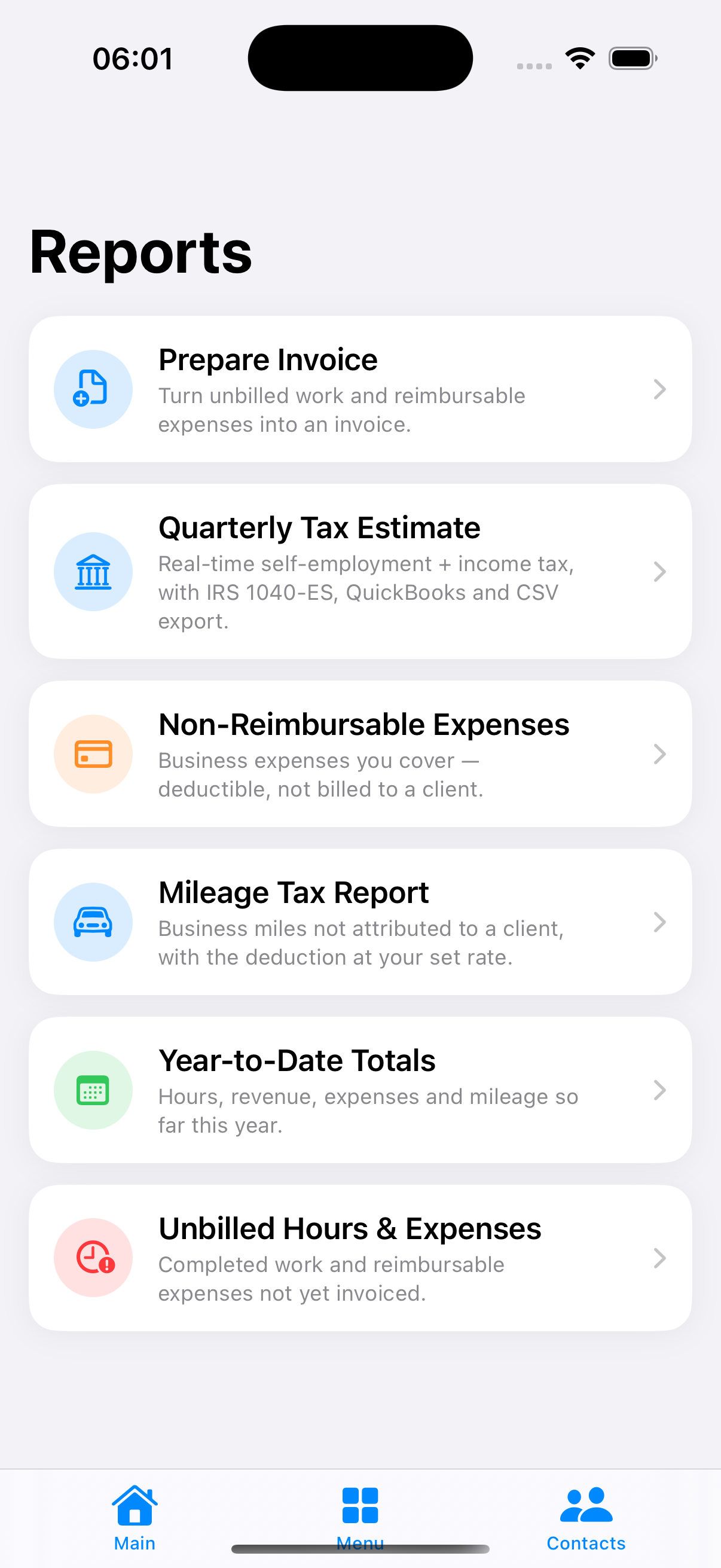
Reports hub

Reports & exports

Tax-ready numbers, one tap to export.

Built-in reports turn tracked work into the figures you actually file, then export each as a clean paginated PDF or CSV.

  • Year-to-date totals — hours, revenue, expenses, miles
  • Business mileage log, ready for Schedule C
  • Unbilled work & reimbursable, plus non-reimbursable expenses
Back-officeOnly here
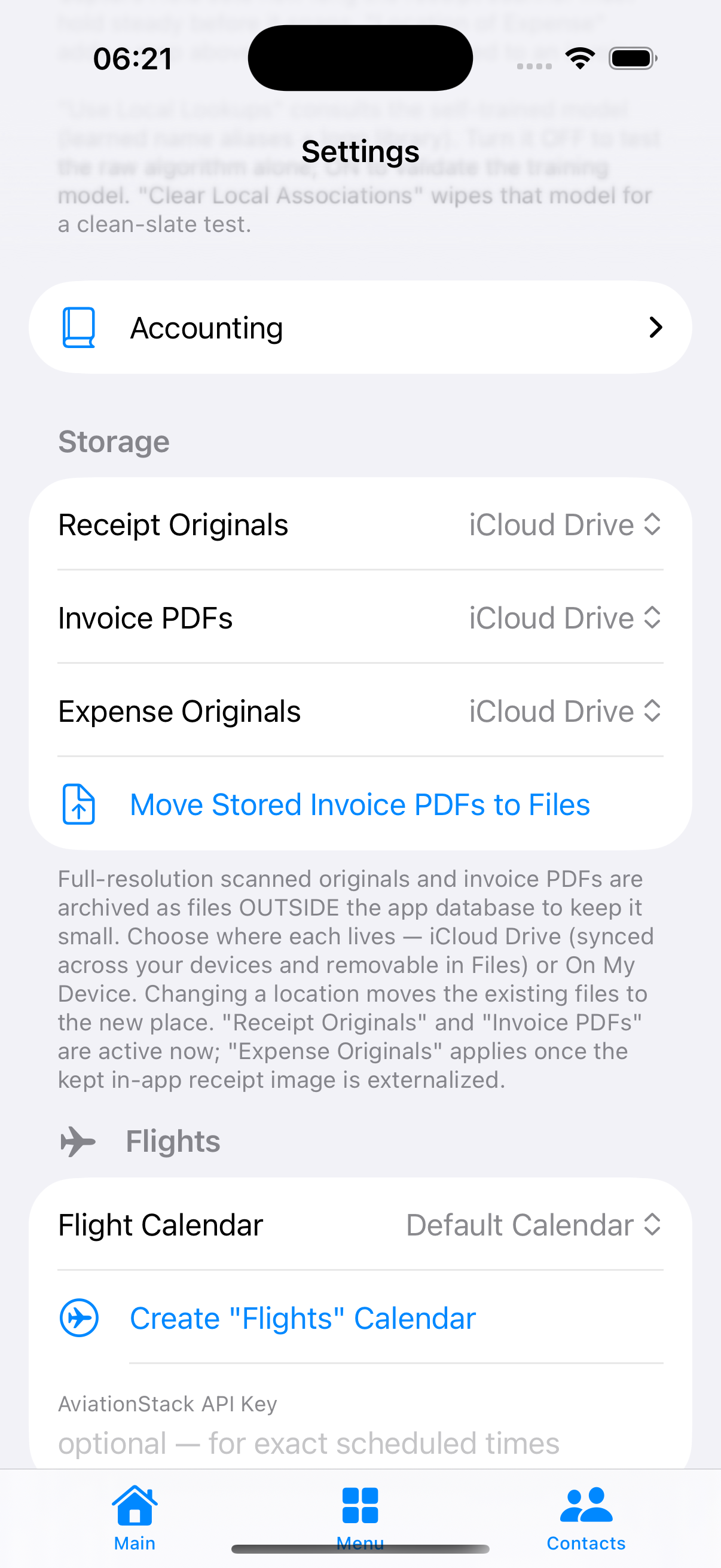
Accounting and storage settings

Business back-office

Run the whole business in the app.

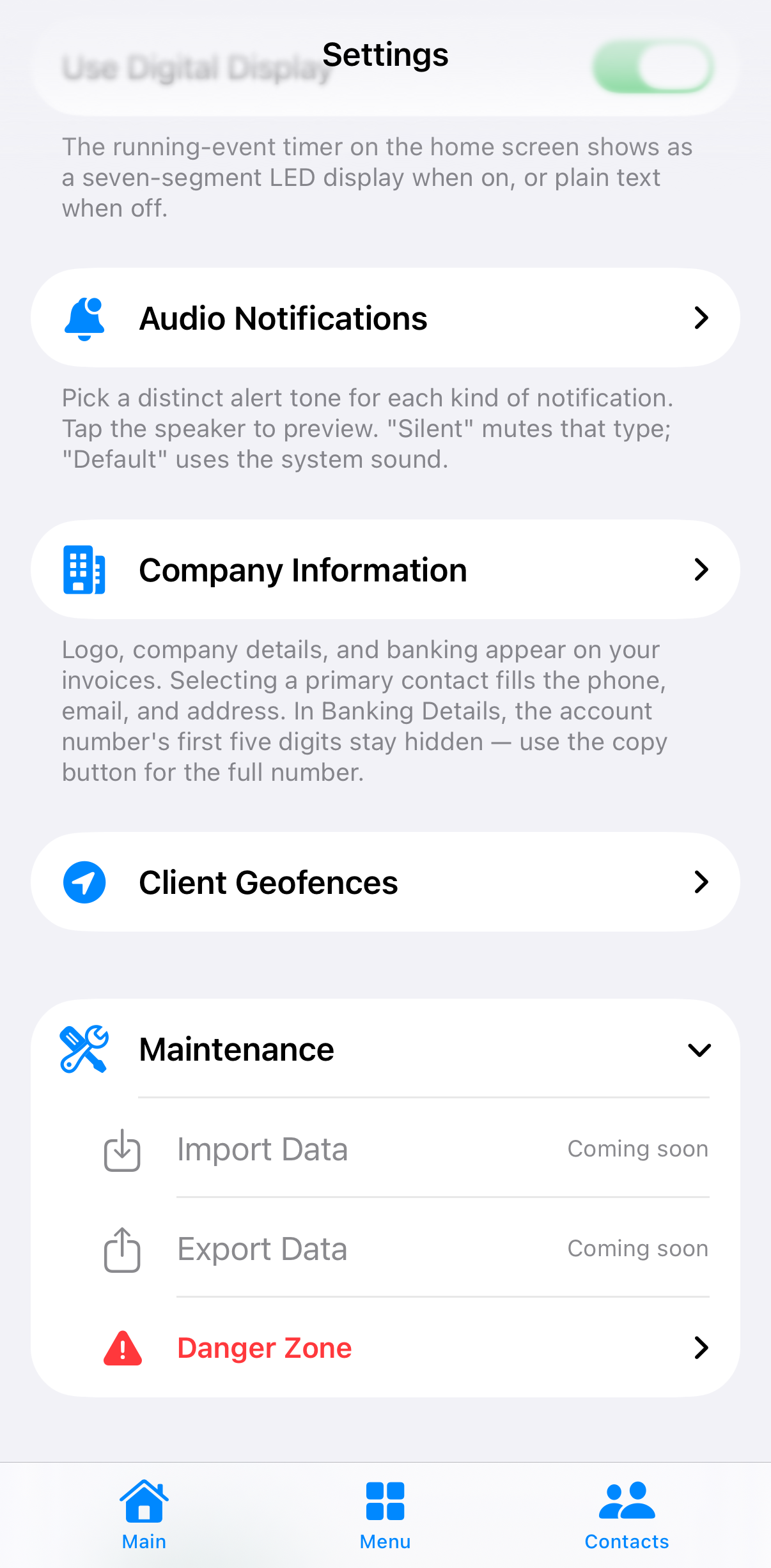
Store your EIN letter and incorporation documents, keep a chart of accounts, and choose where your receipt and invoice originals live in your own iCloud Drive. Company details and banking print on every invoice, and a one-tap package merges everything to open a business bank account.

  • Corporate-document vault + bundled bank routing directory
  • Chart of accounts and full-resolution receipt/invoice archive
  • One-tap banking package to open a business account
ConnectionsTeamwork
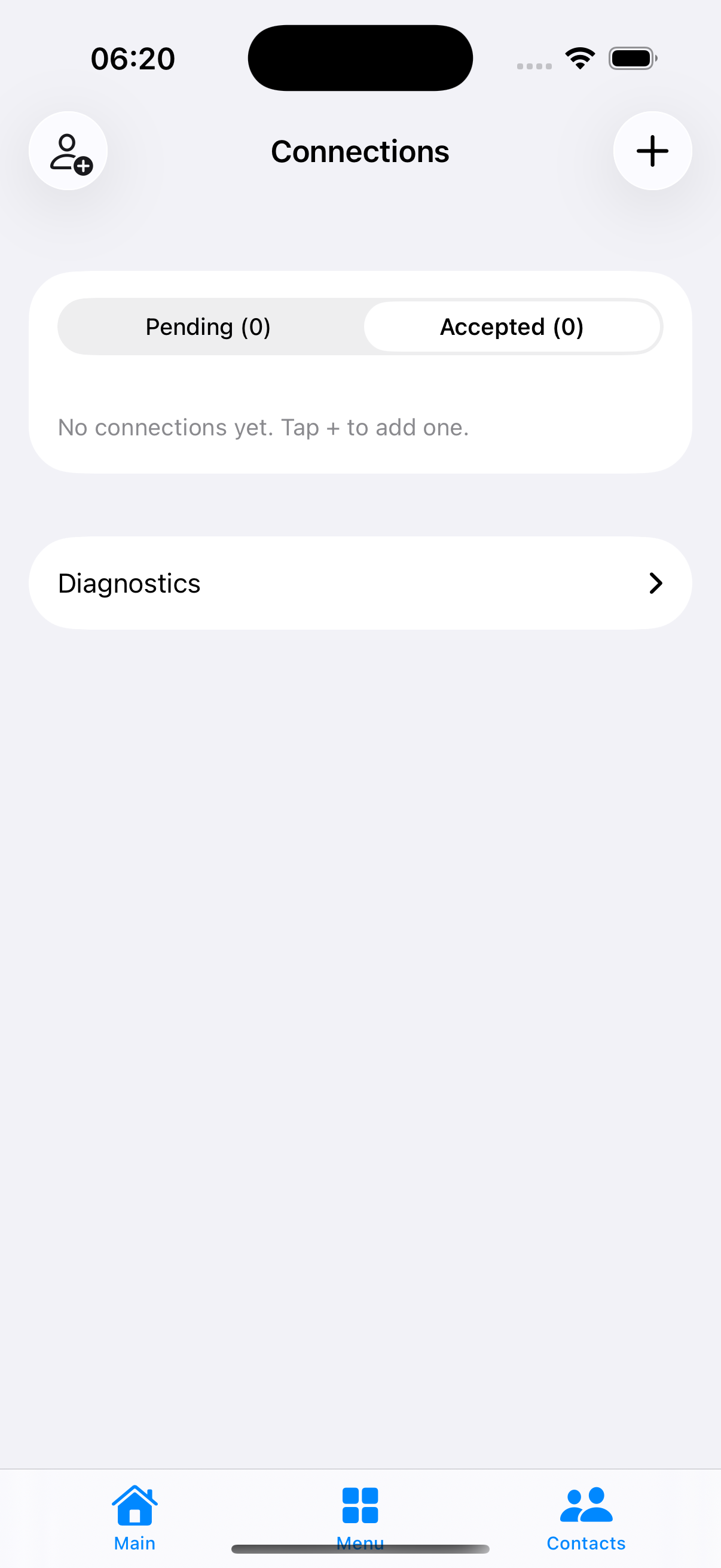
Subcontractor connections

Subcontractor sharing

Bring your subs onto the job.

Invite a subcontractor and share a single project over iCloud. Their phone even checks in at a job site defined on a device they can't see. They get the work that matters and nothing else — your clients, rates, and invoicing stay yours.

  • Share one project's tasks over iCloud — no shared server
  • Automatic job-site check-in; links re-forwardable to their subs
  • Skills-based matching; your books stay private
Dashboard mapCarPlay
Time Tracker on CarPlay

CarPlay

The only billing app that drives.

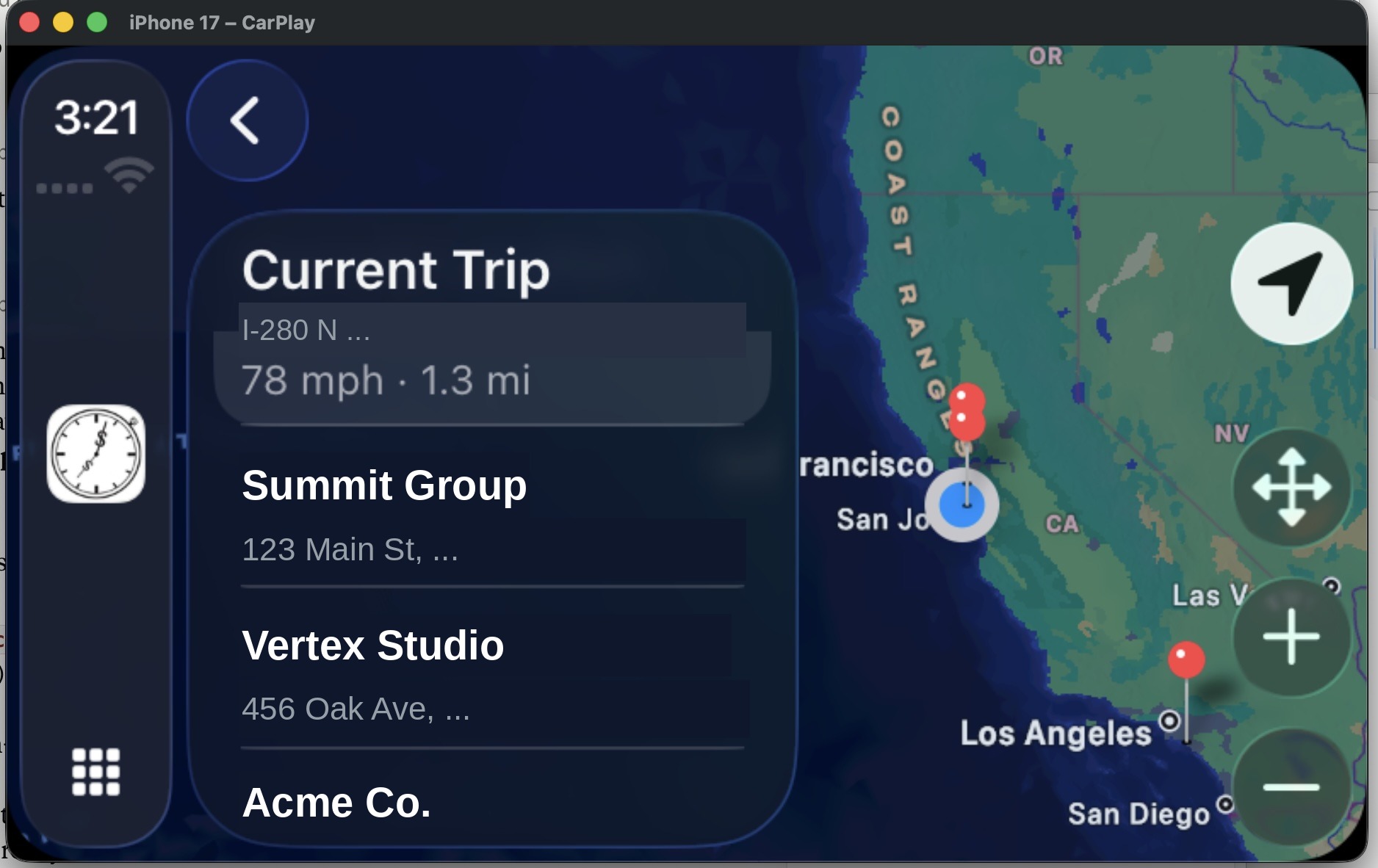
Time Tracker runs on your vehicle's CarPlay screen, plotting client job sites on a map that follows you and drawing your route as a speed-colored breadcrumb with a live posted-speed-limit sign. Arrival detection and mileage keep working while your phone stays in your pocket.

  • Client job sites on a live CarPlay map
  • A real speed-limit HUD — no billing app has this
  • Automatic drive logging for billable mileage
Live ActivityEverywhere
Live Activity

Everywhere & private

On every device, and only yours.

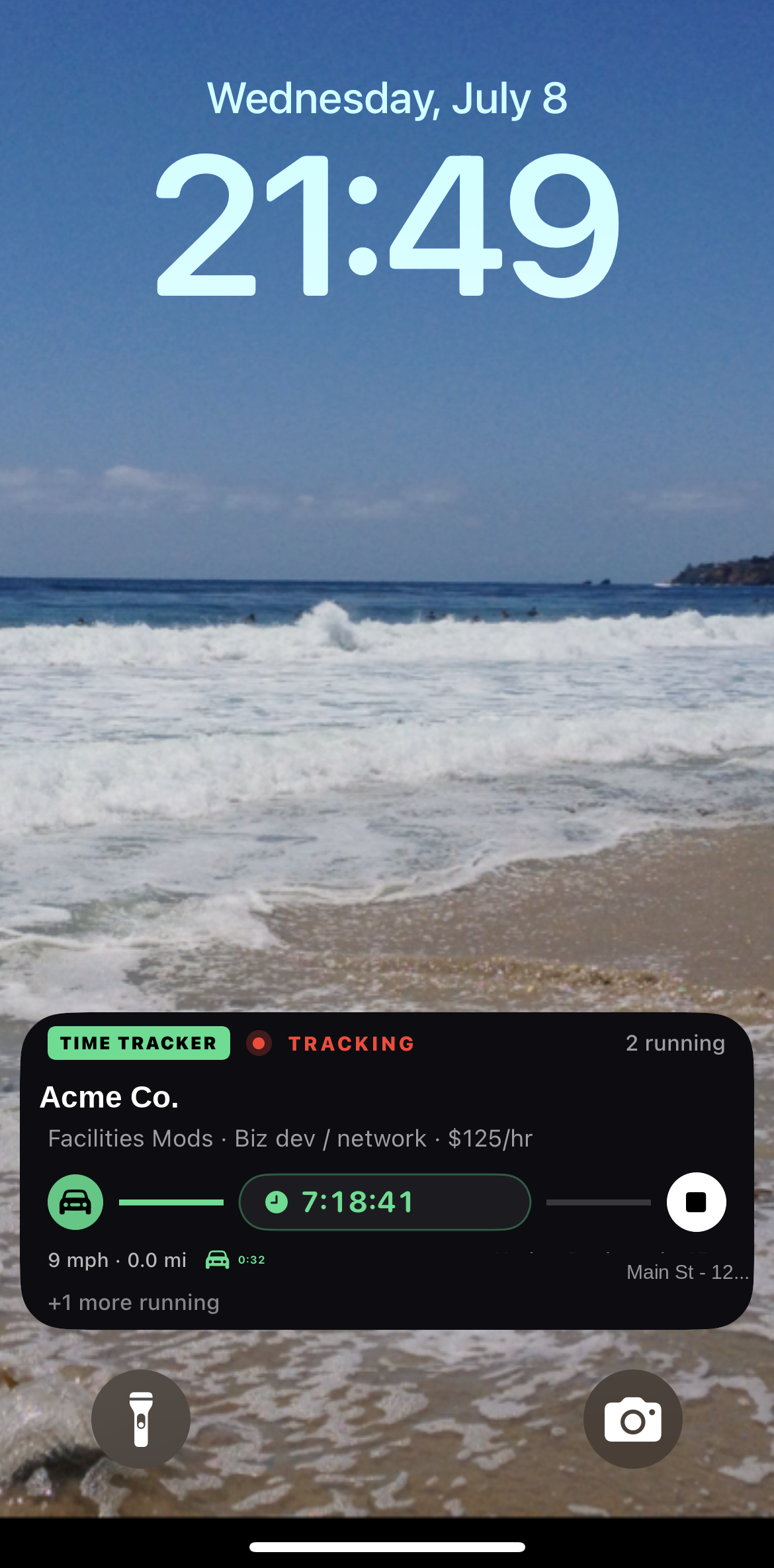
Time Tracker follows you across iPhone, Apple Watch, Lock Screen, Dynamic Island, widgets, Siri, and CarPlay — with native Mac and iPad apps in the beta — and keeps your data private through your own iCloud.

  • Live Activity & Dynamic Island, with a +N badge for multiple timers
  • Floats to the top of the Apple Watch Smart Stack
  • Private iCloud sync — no ads, no tracking, no account
Danger ZoneErase
Danger Zone

Yours to keep — or erase

Your data, and a real off-switch.

Everything lives in your own iCloud — no account, no server of ours. When you want it gone, it's actually gone: a guarded, double-confirmed action erases every record, and the deletion propagates to iCloud and every device as true removals.

  • No account and no server of ours
  • One deliberate action clears everything, everywhere
  • Nothing lingers on a company server, because there isn't one

See it on your own day.

Join the private TestFlight beta and try it on real work — no account required.